Worum es geht
Dieser Guide sammelt die FPS-Grundfunktionen der Steuerung – so, wie sie in den Spieldaten heißen, ohne Tasten.q1 Was die Funktionen im Kampf bewirken, ist in unseren Daten nicht beschrieben; dazu gibt es eigene Guides mit „Noch unbestätigt“-Markierungen.
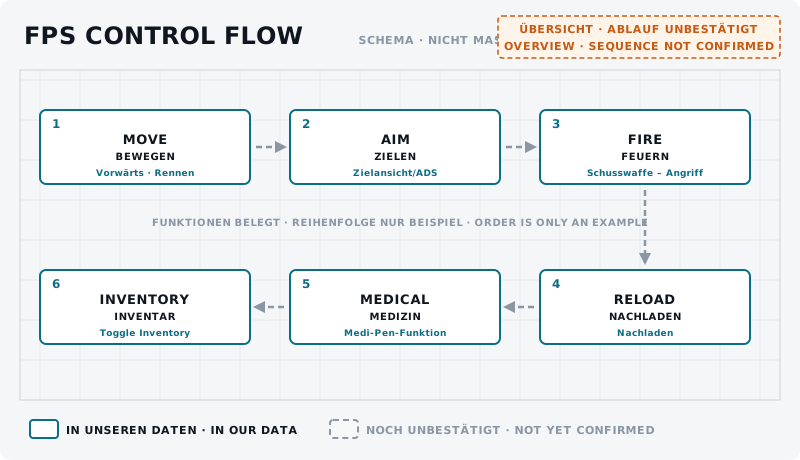
Bewegung
Vorwärts, Rückwärts, Nach links, Nach rechts – Halten-Funktionen. Rennen, Ducken und Liegen sind Umschalter, Springen ein Tastendruck, Nach links lehnen und Nach rechts lehnen Halten-Funktionen.q1 Einzelheiten: FPS – Bewegung & Haltung.
Waffe ziehen und wegstecken
Primärwaffe wählen, Sekundärwaffe wählen, Handfeuerwaffe wählen; Waffe wegstecken wird laut Spieldaten 0,5 s gehalten.q1
Zielen, Feuern, Nachladen
- Zielansicht/ADS und Schusswaffe – Angriff – Halten-Funktionen für Maus oder Stick.q1
- Feuermodus wechseln und Nachladen.q1
Mehr dazu: FPS-Waffen verstehen und Munition, Magazine & Nachladen.
Interaktion
Interaktionsmodus öffnet die Interaktion mit Gegenständen; dazu gibt es Fokus und das Inventar (Toggle Inventory (short press)).q1
Medical
Medi-Pen – anderer Person injizieren und Rettung anfragen (bei Kampfunfähigkeit) stehen in der Steuerung.q1 Mehr: Medical – Erste Hilfe im Einsatz.
- Ziel
- Die FPS-Funktionen auf der eigenen Belegung finden und testen.
- Vorbereitung
- Zu Fuß an einem sicheren Ort, etwa in einer Station.
- Aufgabe
- Geh die Liste „Stream-Deck-Funktionen“ dieses Guides durch. Löse jede Funktion einmal aus und notiere, ob sie belegt ist und was passiert.
- Erfolgskriterium
- Für jede Funktion der Liste weißt du, ob und wo sie bei dir belegt ist.
- Partner
- nicht erforderlich
- Benötigte Funktionen
- Ducken
- Liegen
- Waffe wegstecken
- Nachladen
- Interaktionsmodus