OMC Stream Deck for Star Citizen
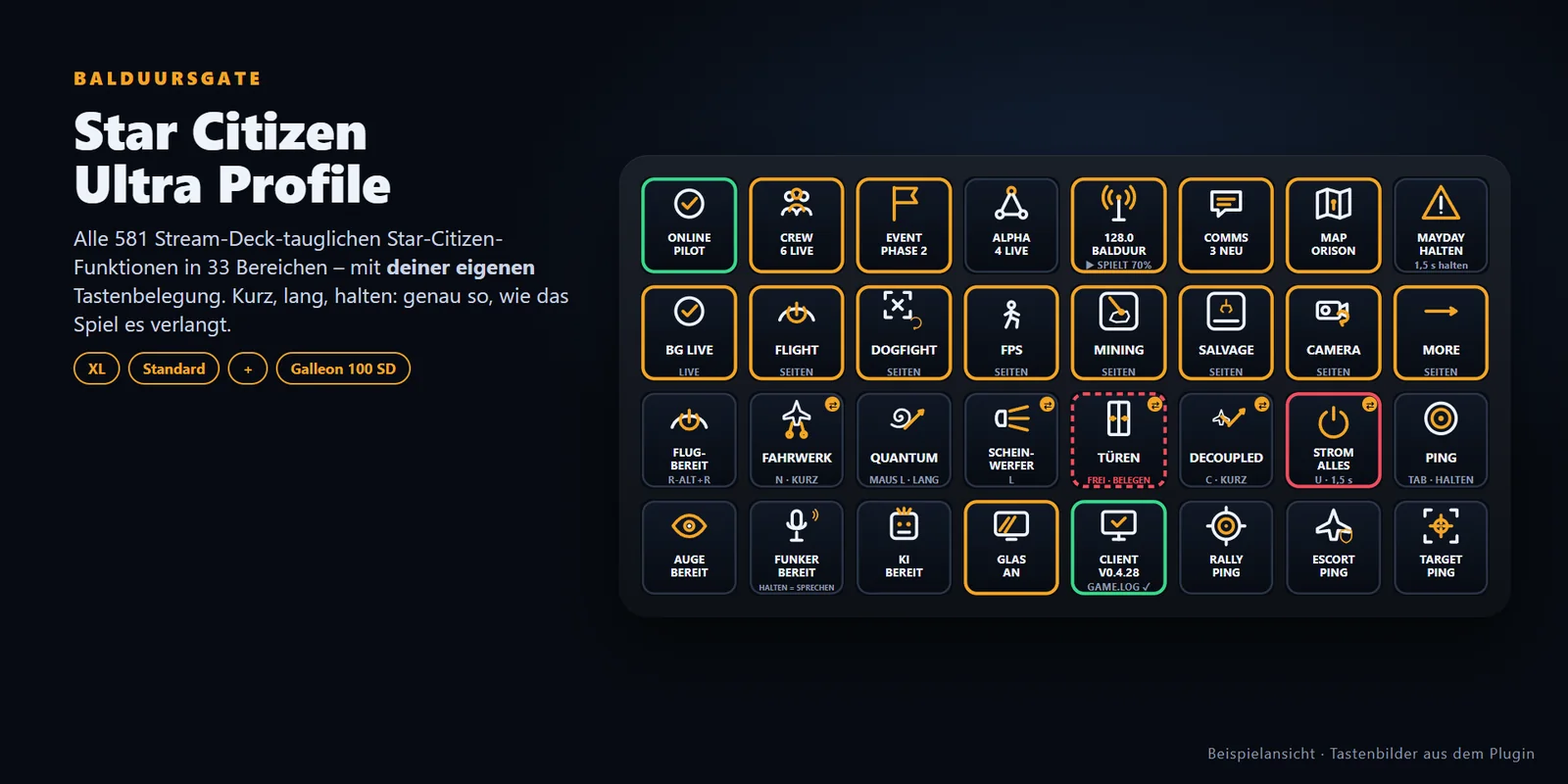
Alle 581 Stream-Deck-tauglichen Star-Citizen-Funktionen mit deiner eigenen Tastenbelegung – dazu BalduursGATE live: Crew, Event, Gruppe, Radio, MAYDAY, COMMS.
- Version 0.9.0 · Release Candidate 1
- Veröffentlicht 11.09.2026
- Star Citizen 4.10.0 Hotfix · Build 55227
Release Candidate: Installation, Profile und Live-Tasten sind an XL und Stream Deck + geprüft. Noch nicht bestätigt ist ein Tastendruck ins laufende Spiel und der Test auf einem zweiten Windows-Benutzer – siehe „Bekannte Einschränkungen“.
Auf einen Blick
- Version
- 0.9.0 (Release Candidate 1)
- Veröffentlicht
- 11.09.2026
- Star Citizen
- 4.10.0 Hotfix · Build 55227
- Geräte
- Stream Deck XL, Stream Deck (15 Tasten), Stream Deck +, Corsair Galleon 100 SD
- System
- Windows 10/11 · Stream-Deck-Software ab 6.9 (geprüft mit 7.5)
- Weitere Plugins
- keine
- Optional
- BalduursGATE-Client ab 0.4.28 (Glas, Auge, KI, Funker, Radio, Client-Status) · persönlicher OMC-Zugang (Live-Tasten)
Vorschau
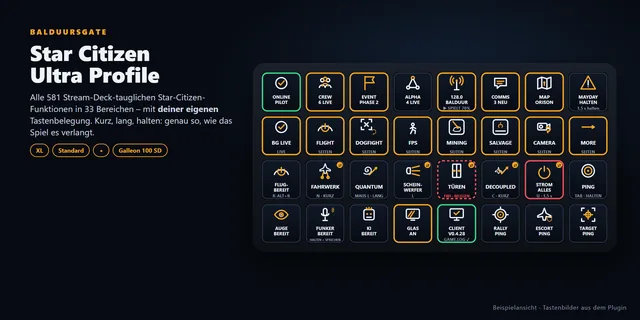
Hauptseite (Stream Deck XL)
HOME mit BG LIVE, FLIGHT, DOGFIGHT, FPS, MINING, SALVAGE, CAMERA und MORE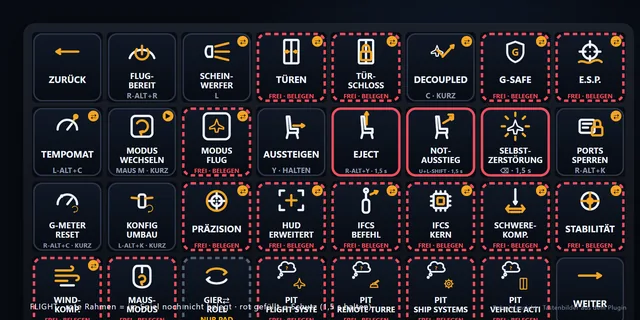
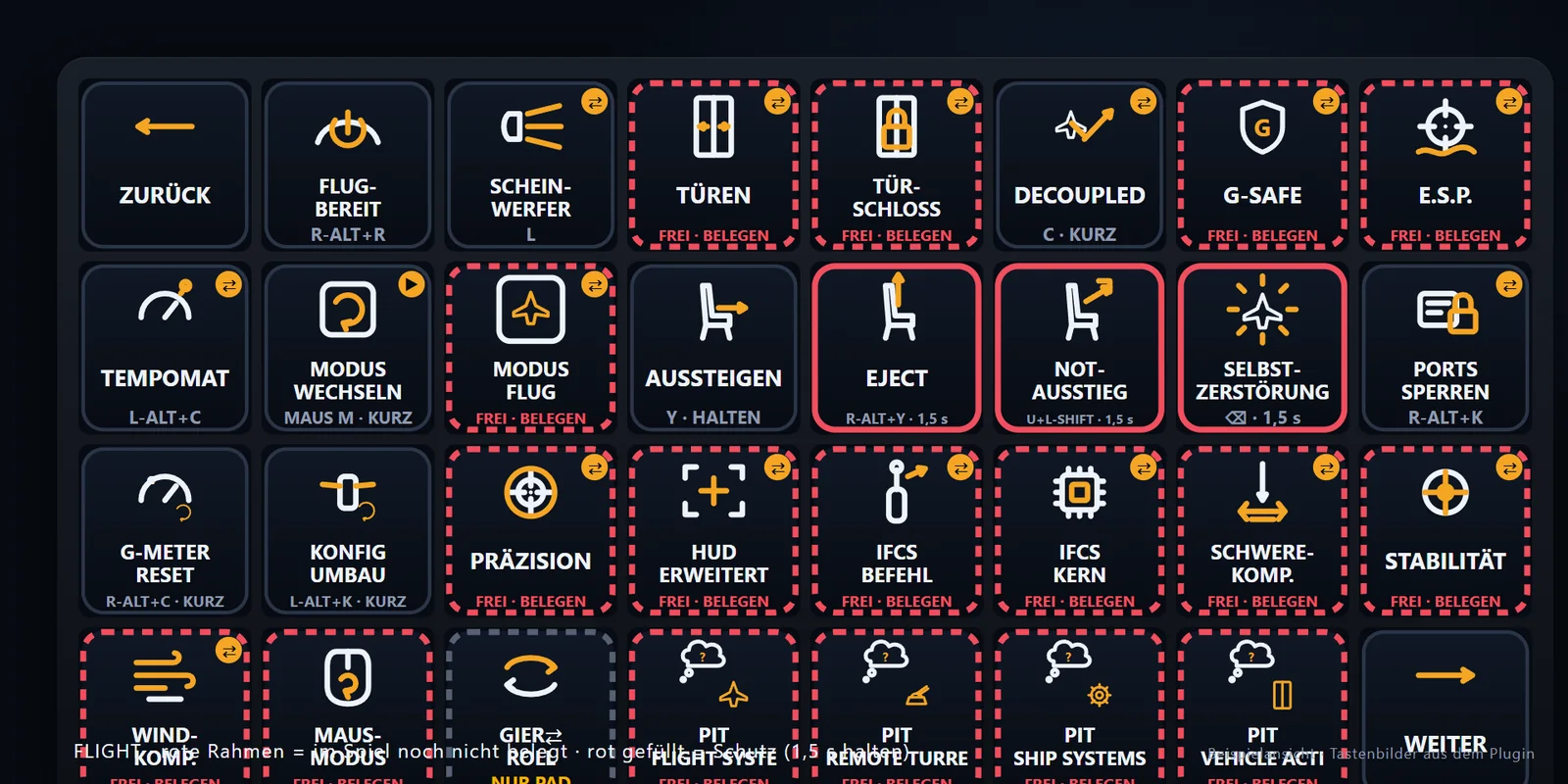
Flight
Seite FLIGHT – weißer Chip = deine Taste, rot gestrichelt = FREI, rot gefüllt = Schutzfunktion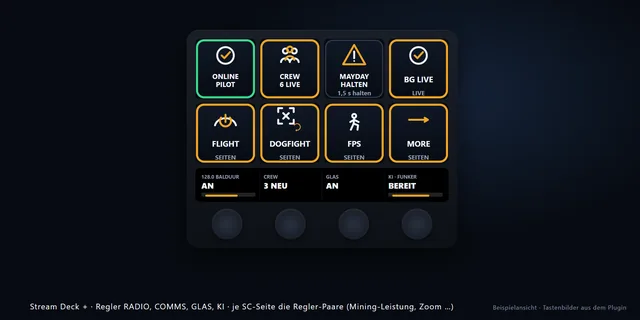
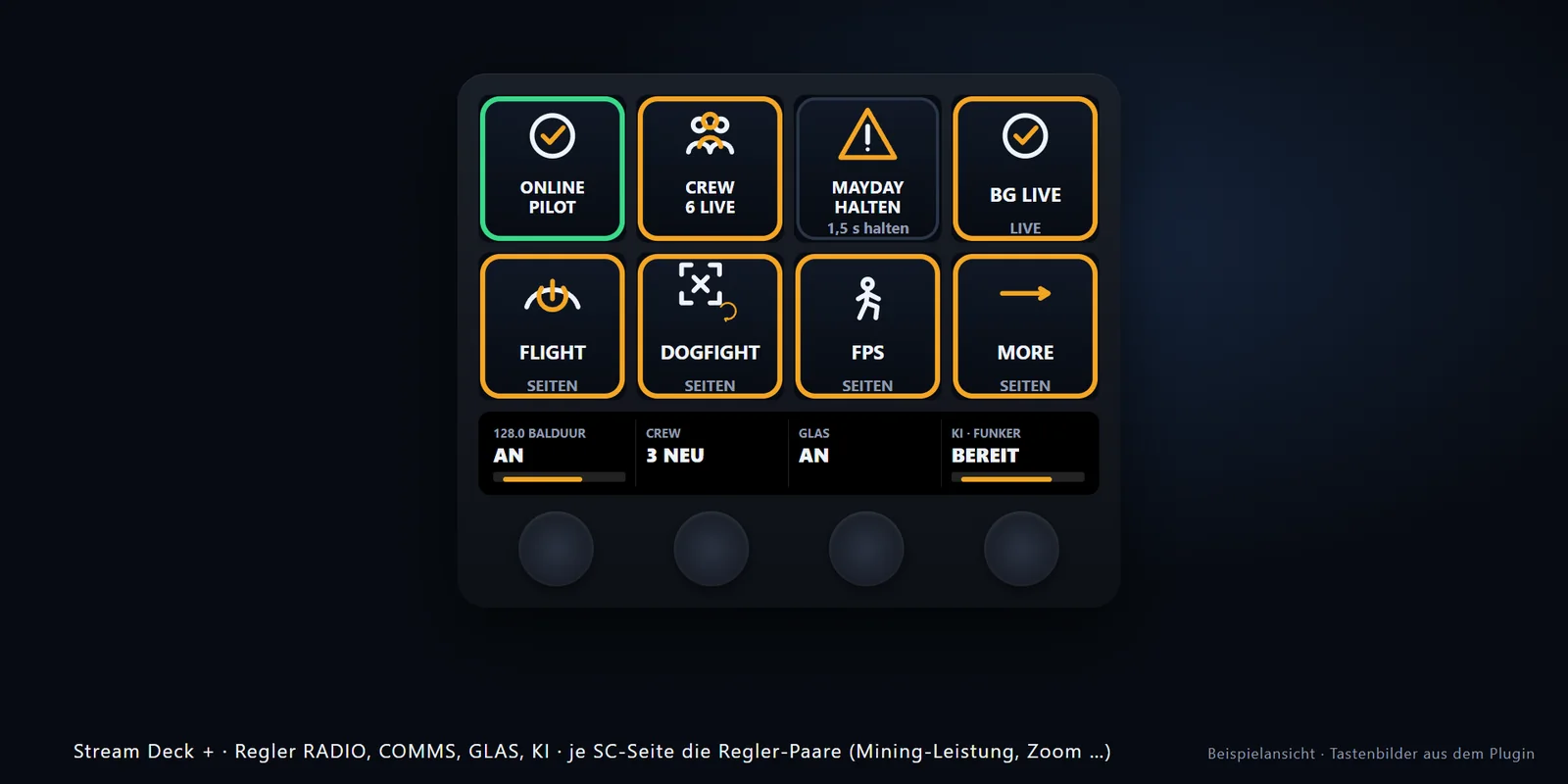
Stream Deck +
Regler RADIO, COMMS, GLAS, KI mit Werten im Touch Strip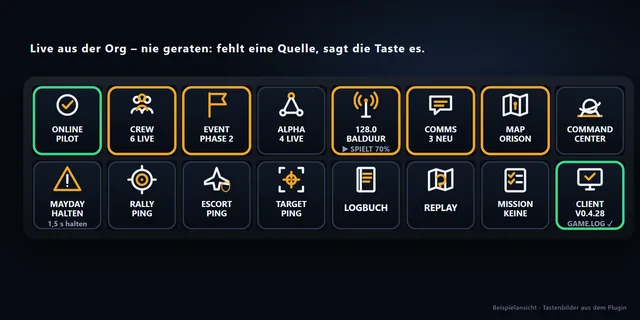
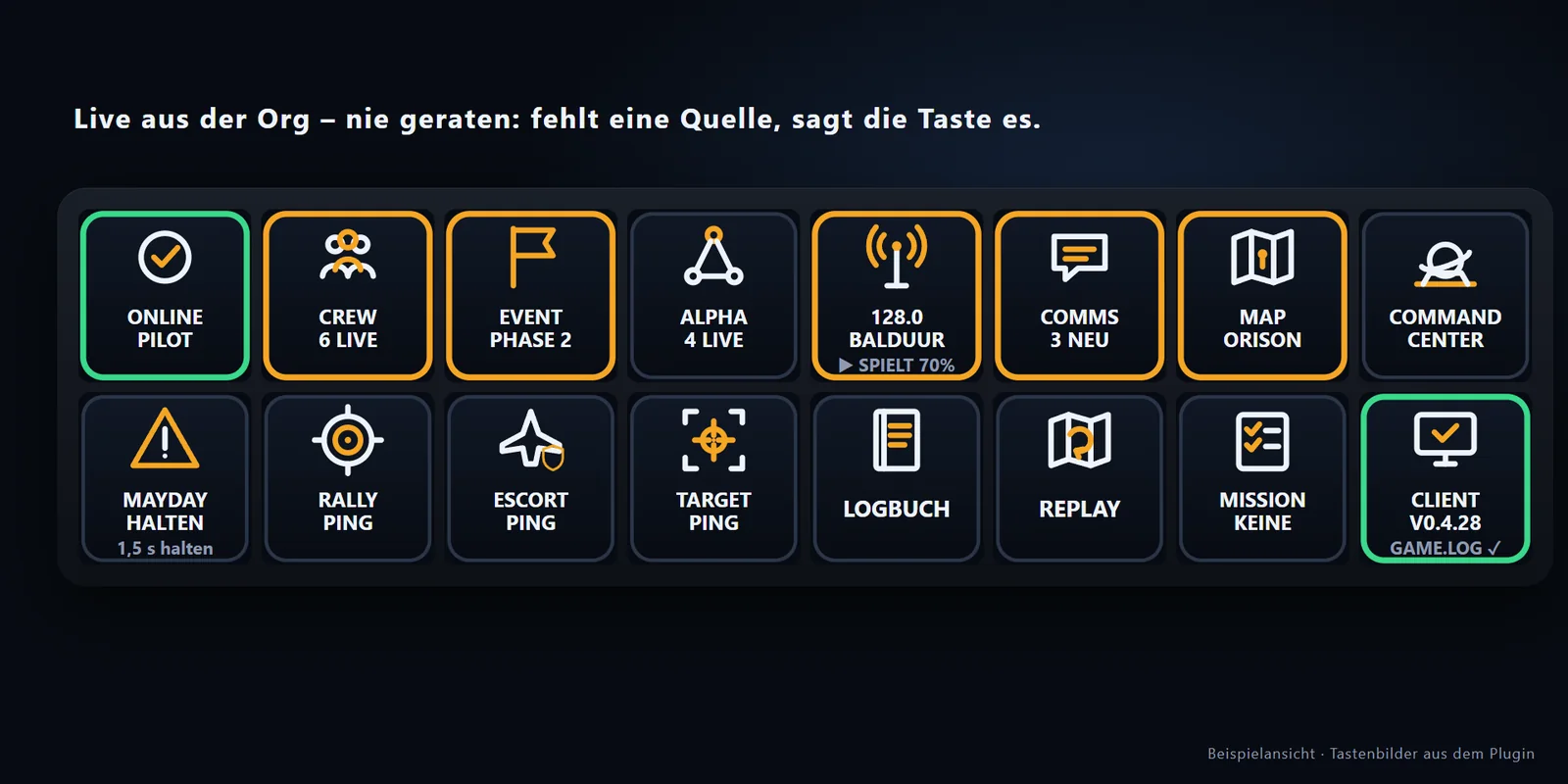
BalduursGATE Live · COMMS
Live-Tasten aus der Org – Crew, Event, Radio, COMMS mit Ungelesen-Zahl, Karte, Pings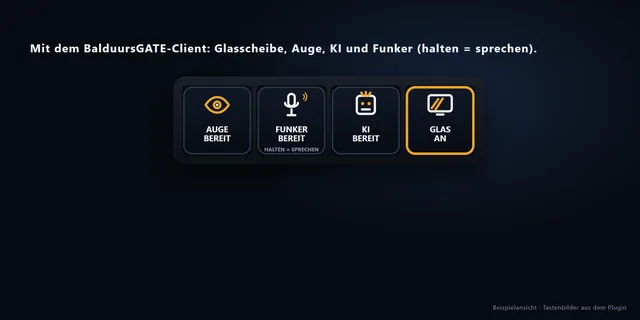
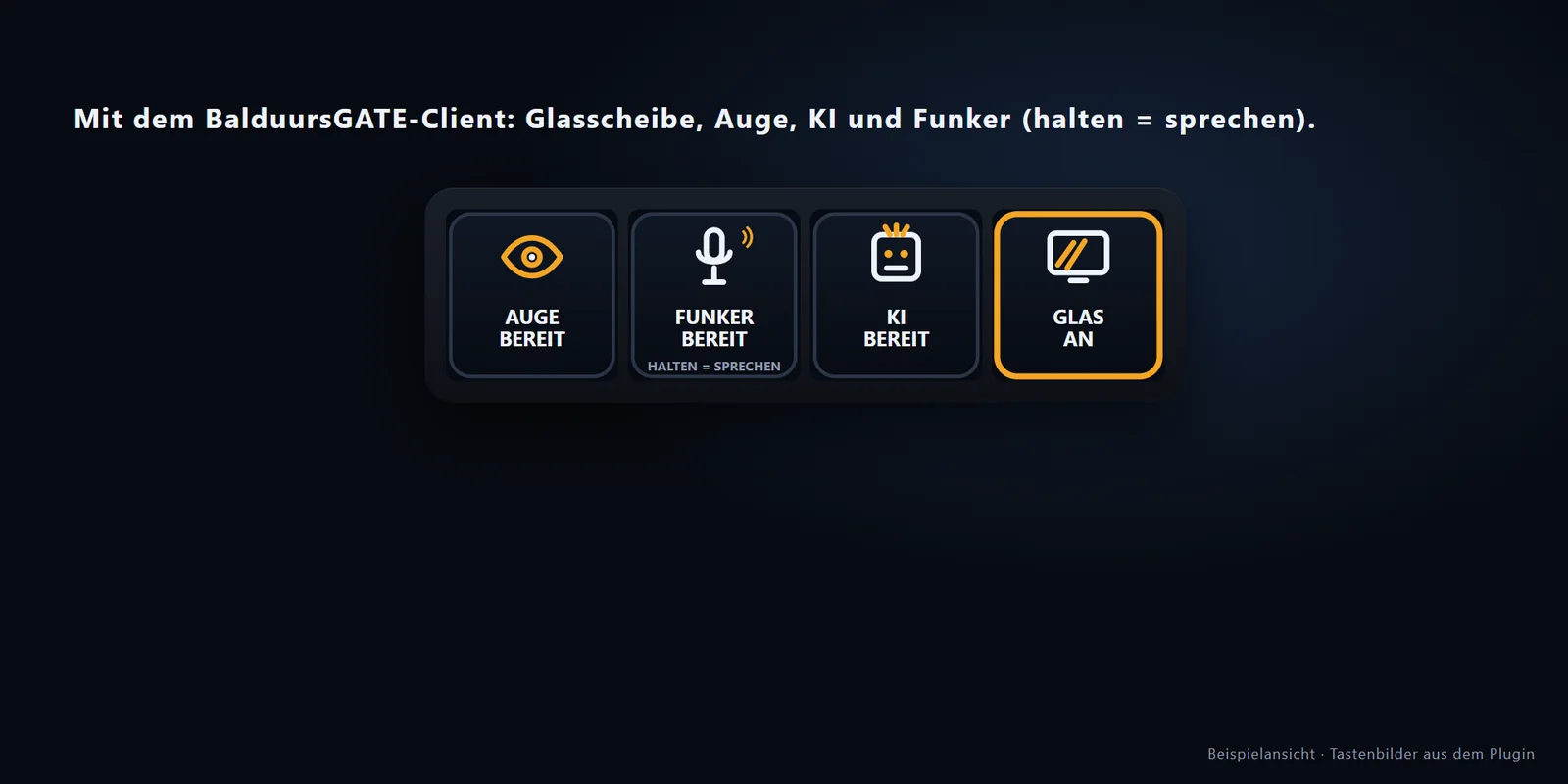
Client-Brücke
Auge, Funker, KI und Glas über den BalduursGATE-Client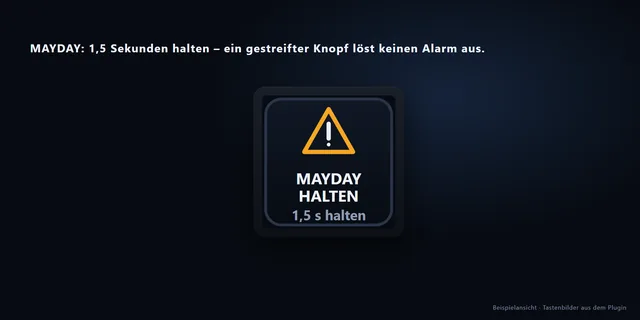
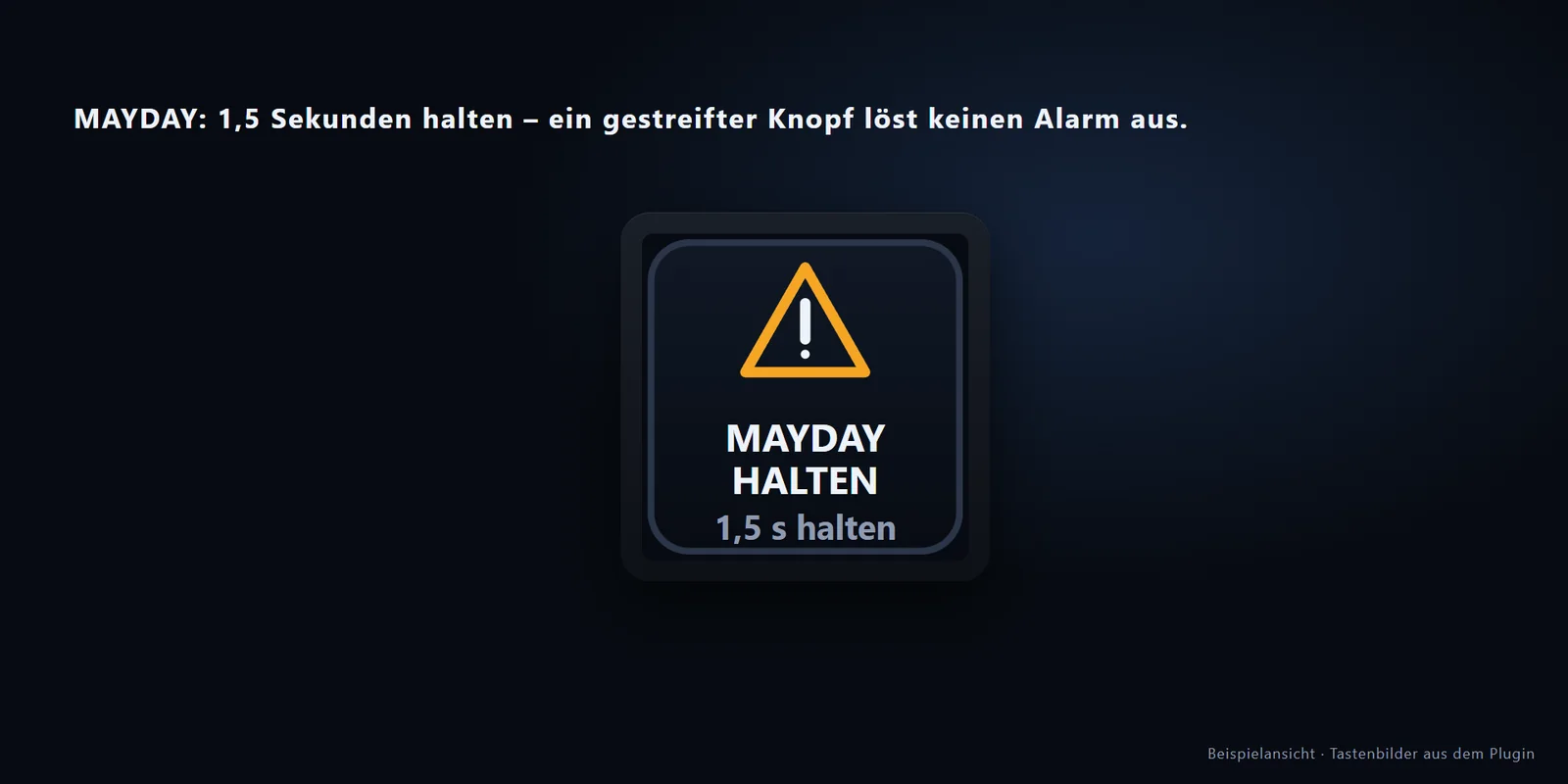
MAYDAY
Notruf erst nach 1,5 Sekunden Halten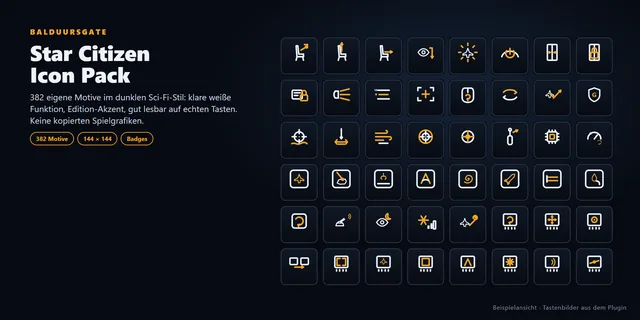
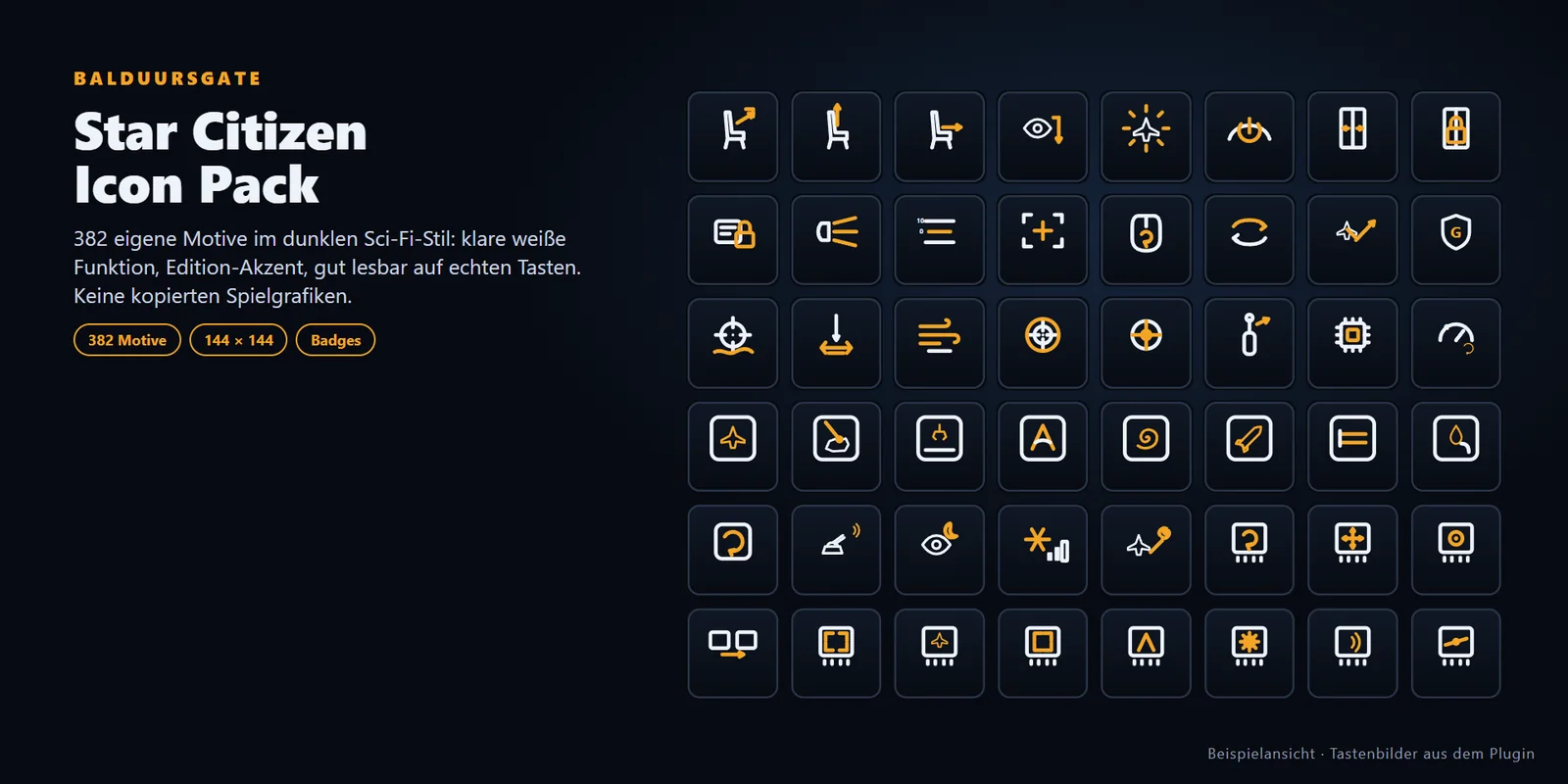
Icon Pack
382 eigene Motive, keine Spielgrafiken
Alle Bilder kommen aus dem eigenen Renderer des Plugins (Beispielansicht). Für Dogfight, Mining, FPS, Salvage und Kamera gibt es noch keine eigenen Vorschaubilder – die Seiten sind in allen Profilen enthalten.
Funktionen
Star Citizen Ultra Control Pack
Grundlage ist die Steuerungsliste von Star Citizen 4.10.0 (1103 Actions). Davon sind 581 Funktionen sinnvoll per Stream Deck auslösbar – verteilt auf 33 Bereiche von FLIGHT bis ADVANCED CAMERA. Keine Funktion fällt weg: Was nicht auf eine Seite passt, liegt auf WEITER/ZURÜCK.
Deine Belegung, exakt gedrückt
Jede Taste zeigt deine Belegung (z. B. „R · KURZ“, „R · LANG“) und hält die Taste so, wie das Spiel es verlangt: kurz tippen, lang, halten, doppelt tippen.
Freie Funktionen und Schutz
Nicht belegte Funktionen sind rot gestrichelt markiert. Auf Wunsch belegt das Plugin sie in einer neuen Layout-Datei – deine eigene bleibt unverändert. Schutzfunktionen wie Selbstzerstörung lösen erst nach 1,5 Sekunden Halten aus.
Profil-Bauer
Die Taste „BG Einrichtung“ sucht deine Star-Citizen-Installationen (LIVE, PTU, EPTU, TECH-PREVIEW, HOTFIX), liest deine Belegung ein und baut daraus Profile für XL, Standard, + und Galleon.
Icon Pack
382 eigene Motive im dunklen Sci-Fi-Stil, 144 × 144 Pixel – für eigene Tasten. Keine kopierten Spielgrafiken.
Bereiche und Funktionen je Bereich
- FLIGHT (71)
- MFD (59)
- FLIGHT MOVEMENT (21)
- LANDING (18)
- NAVIGATION / QUANTUM (9)
- TARGETING (54)
- DOGFIGHT (42)
- SHIP WEAPONS (47)
- MISSILES (16)
- COUNTERMEASURES (5)
- SHIELDS (10)
- POWER (27)
- ENGINEERING (22)
- TURRETS (19)
- SCANNING (7)
- MINING (13)
- SALVAGE (30)
- TRACTOR (4)
- CARGO (3)
- DOCKING (2)
- GROUND VEHICLES (20)
- FPS MOVEMENT (7)
- FPS WEAPONS (27)
- FPS INTERACTION (18)
- FPS MEDICAL (7)
- EVA (6)
- MOBIGLAS (6)
- SOCIAL (53)
- VOIP (3)
- FOIP (2)
- CAMERA (30)
- ADVANCED CAMERA (40)
- SYSTEM (11)
Bereiche überschneiden sich – DOGFIGHT ist zum Beispiel eine Auswahl aus TARGETING, WEAPONS, MISSILES, COUNTERMEASURES, SHIELDS, SCANNING und FLIGHT.
BalduursGATE-Erweiterungen
Die BalduursGATE-Erweiterungen sind im Plugin enthalten. Die Star-Citizen-Tasten funktionieren bei jedem Spieler ohne Konto. Die Live-Tasten brauchen einen persönlichen Zugang zum Old Mens Club (OMC Edition) – ohne Zugang zeigen sie „KEIN ZUGANG“ und raten nichts.
Live aus der Org
STATUS, CREW, EVENT, GROUP, MAP, MISSIONS, LOGBUCH, REPLAY und COMMAND CENTER – mit deinem persönlichen Zugang.
COMMS
Die echte Zahl ungelesener Nachrichten; am Stream Deck + kanalweise am Regler.
MAYDAY und Pings
MAYDAY nach 1,5 Sekunden Halten, RALLY, ESCORT und TARGET als Pings an die Crew – über deine Benutzerrechte. Ein Ping überschreibt nie einen laufenden Notruf.
Radio Balduur
Sender und Titel; mit dem Client auch Wiedergabe, Lautstärke, Stumm und Senderwechsel.
Glas, Auge, KI, Funker
Über die Client-Brücke des BalduursGATE-Clients (ab 0.4.28): nur lokal auf deinem Rechner, zufälliger Port und Schlüssel je Start. Dein Zugang geht nie über die Brücke.
Client-Status
Version, Spielprotokoll gefunden, Verbindung, Update – fehlt eine Quelle, sagt die Taste es.
Unterstützte Geräte
| Gerät | Profil-Datei | Tasten | Regler | Seiten | An echter Hardware geprüft |
|---|---|---|---|---|---|
| Stream Deck XL | BalduursGATE-XL-0.9.0.streamDeckProfile | 32 | 0 | 63 | ja |
| Stream Deck (15 Tasten) | BalduursGATE-Standard-0.9.0.streamDeckProfile | 15 | 0 | 96 | noch nicht |
| Stream Deck + | BalduursGATE-Plus-0.9.0.streamDeckProfile | 8 | 4 | 163 | ja |
| Corsair Galleon 100 SD | BalduursGATE-Galleon-0.9.0.streamDeckProfile | 12 | 2 | 113 | noch nicht |
Stream Deck XL
32 Tasten. Die Hauptseite HOME zeigt BG LIVE, FLIGHT, DOGFIGHT, FPS, MINING, SALVAGE, CAMERA und MORE, dazu eine Reihe Live-Tasten und Schnelltasten. Hinter jedem Bereich liegt eine eigene Seite; was nicht passt, geht über WEITER/ZURÜCK weiter. Keine Regler.
Import: BalduursGATE-0.9.0.streamDeckPlugin installieren, dann BalduursGATE-XL-0.9.0.streamDeckProfile doppelklicken → im Dialog dieses Gerät wählen → Installieren.
Stream Deck (15 Tasten)
15 Tasten. Dieselben 581 Funktionen wie auf dem XL, aber auf mehr Seiten verteilt (96 statt 63) – du blätterst öfter über WEITER/ZURÜCK. Keine Regler. Das Profil ist für die Gerätekennung 20GBA9901 gebaut und noch nicht an echter Hardware geprüft.
Import: BalduursGATE-0.9.0.streamDeckPlugin installieren, dann BalduursGATE-Standard-0.9.0.streamDeckProfile doppelklicken → im Dialog dieses Gerät wählen → Installieren.
Stream Deck +
8 Tasten, 4 Regler und ein Touch Strip. Auf der BG-Seite und HOME: Regler 1 RADIO (drehen = Lautstärke, drücken = an/aus, tippen = nächster Sender), 2 COMMS (drehen = Kanäle mit Ungelesen-Zahl, drücken = COMMS öffnen), 3 GLAS (Modus, drücken = an/aus), 4 KI (drücken und halten = sprechen, drehen = Lautstärke). Auf den Star-Citizen-Seiten liegen die Regler-Paare des Bereichs auf den Reglern (Mining-Leistung, Scan-Fokus, Tempomat, Zoom …). Wegen der wenigen Tasten hat das Profil die meisten Seiten (163); der Import dauert ein paar Sekunden.
Import: BalduursGATE-0.9.0.streamDeckPlugin installieren, dann BalduursGATE-Plus-0.9.0.streamDeckProfile doppelklicken → im Dialog dieses Gerät wählen → Installieren.
Corsair Galleon 100 SD
12 Tasten (3 × 4) und zwei Regler – dieselbe Aufteilung in Bereiche, eigene Seiten (113). Raster und Regler sind noch nicht an echter Hardware geprüft.
Import: BalduursGATE-0.9.0.streamDeckPlugin installieren, dann BalduursGATE-Galleon-0.9.0.streamDeckProfile doppelklicken → im Dialog dieses Gerät wählen → Installieren.
Für Stream Deck Mini, Neo, Studio, Pedal, Stream Deck + XL und die Mobile-App gibt es kein Profil – diese Geräte sind in dieser Version nicht unterstützt.
Installation
Für alle, die noch nie ein Stream-Deck-Profil importiert haben.
- Passende Version wählenSuch dein Gerät in der Tabelle „Unterstützte Geräte“. Du brauchst immer das Plugin und das Profil deines Geräts – beides steckt im Gesamtpaket.
- ZIP herunterladenUnten bei „Downloads“ das Gesamtpaket laden (oder Plugin und dein Profil einzeln). Prüfsumme vergleichen, wenn du sichergehen willst.
- EntpackenDas ZIP entpacken (Windows: Rechtsklick → Alle extrahieren). Darin liegen die Ordner 1-Plugin, 2-IconPack und 3-Profile sowie die Anleitung.
- Software prüfenWindows 10 oder 11 und die Stream-Deck-Software ab Version 6.9 (geprüft mit 7.5). Bei älterer Software zuerst die Stream-Deck-Software aktualisieren.
- Stream Deck öffnenStream-Deck-Software starten, das Gerät muss angeschlossen und in der Software zu sehen sein.
- Plugin installieren, dann Profil importierenZuerst BalduursGATE.streamDeckPlugin doppelklicken – Stream Deck fragt „Installieren?“ → ja. Danach die Profildatei deines Geräts aus 3-Profile doppelklicken – Stream Deck fragt nach dem Import. Das Profil verlangt das Plugin, deshalb diese Reihenfolge.
- Profil dem Gerät zuweisenIm Importdialog dein Gerät wählen und installieren. Danach das Profil „BalduursGATE …“ oben in der Profilauswahl deines Geräts aktivieren.
- Plugins prüfenWeitere Plugins sind nicht nötig – die Profile verlangen nur das BalduursGATE-Plugin. Das Icon Pack ist optional (Doppelklick). Für Glas, Auge, KI, Funker, Radio-Wiedergabe und Client-Status zusätzlich den BalduursGATE-Client ab 0.4.28 installieren; für die Live-Tasten einen persönlichen Zugang bei „Zugang“ eintragen.
- Belegung einlesen und Star Citizen startenTaste „BG Einrichtung“ drücken bzw. in ihren Einstellungen „Installationen suchen“ → neueste Belegung wählen → „Einlesen“. Ohne Einlesen gilt die Standardbelegung des Spiels. Dann Star Citizen starten.
- Funktion testenStar Citizen muss im Vordergrund sein. Eine belegte Taste drücken (weißer Chip unten zeigt deine Taste, z. B. Fahrwerk) und im Spiel prüfen. Rot gestrichelte Tasten (FREI) drücken nichts. Passiert gar nichts: siehe „Bekannte Einschränkungen“ (Administrator).
Star-Citizen-Tastenbelegung
Das Stream-Deck-Profil und Star Citizen müssen dieselbe Belegung verwenden. Deshalb bringt das Paket keine feste Tastenbelegung mit: Das Plugin liest deine eigene Belegung ein – die aktive actionmaps.xml oder ein exportiertes Layout (layout_*_exported.xml, im Spiel unter Optionen → Tastenbelegung → Steuerungsprofile → Exportieren).
Die mitgelieferten Profile verweisen nur auf Plugin-Aktionen. Welche Taste gedrückt wird, entscheidet das Plugin beim Drücken aus deiner eingelesenen Belegung. Hast du nichts eingelesen, gilt die Standardbelegung des Spiels.
Freie Funktionen belegen (optional): Das Plugin legt im Spielordner eine NEUE Datei layout_BGate_<Name>_exported.xml an. Deine bisherige Datei bleibt unverändert. Im Spiel unter Optionen → Tastenbelegung → Steuerungsprofile „BGate_…“ laden, dann im Plugin „Im Spiel geladen – bestätigen“. Bis dahin tragen die Chips ein *.
Funktionen, die bei dir nur auf Joystick, Gamepad oder vJoy liegen, zeigt die Taste als „NUR STICK“, „NUR PAD“ oder „NUR VJOY“ – ein Stream Deck kann sie nicht drücken.
Die Funktionsliste stammt aus den Spieldaten von Star Citizen 4.10.0 Hotfix (Build 55227). Nach einem Patch die Belegung neu einlesen; neue oder geänderte Funktionen kommen mit einer neuen Version.
Updates
- Neue Versionen erscheinen hier im Download Center mit eigener Versionsnummer, Prüfsummen und Changelog. Der Link „Aktuelle Version“ zeigt immer auf das neueste Gesamtpaket.
- Zum Aktualisieren das neue Plugin installieren (Doppelklick) – es ersetzt das installierte, weil beide dieselbe Kennung haben. Profile nur neu importieren, wenn das Changelog es sagt.
- Nach einem Star-Citizen-Patch deine Belegung neu einlesen (BG Einrichtung → Einlesen).
Downloads
Stabiler Link, zeigt immer auf das neueste Gesamtpaket: BalduursGATE-StreamDeck-Ultra-Pack-latest.zip
| Datei | Inhalt | Version | Größe | SHA-256 | |
|---|---|---|---|---|---|
| BalduursGATE-StreamDeck-Ultra-Pack-0.9.0.zip | Gesamtpaket: Plugin, Icon Pack, alle vier Profile, Anleitung DE/EN | 0.9.0 | 7,26 MB | 575b88e401287774e189e0607b0b5fe7f34e52b00280c3441c7c776c61aa44a2 | Laden |
| BalduursGATE-0.9.0.streamDeckPlugin | Plugin (für alle Geräte nötig) | 0.9.0 | 2,61 MB | 96a2aa3c6740b138564b43a86e45b5e0a23def0efd2cd76cdbbf94b52afec491 | Laden |
| BalduursGATE-XL-0.9.0.streamDeckProfile | Profil Stream Deck XL | 0.9.0 | 0,80 MB | 3ffdc141625d8c34b2d6bccb671d9daae1e4928723b8b27a995507b0104d54b6 | Laden |
| BalduursGATE-Standard-0.9.0.streamDeckProfile | Profil Stream Deck (15 Tasten) | 0.9.0 | 1,13 MB | 762efa2a20af96b9285a087024ec347cf05a2ffc66d331b99fd59750e2e72cf6 | Laden |
| BalduursGATE-Plus-0.9.0.streamDeckProfile | Profil Stream Deck + | 0.9.0 | 1,80 MB | e8e49aecd9d488583f96d246715f7191de745a3e25b5eb2c87bc019a56217a27 | Laden |
| BalduursGATE-Galleon-0.9.0.streamDeckProfile | Profil Corsair Galleon 100 SD | 0.9.0 | 1,30 MB | 078b9046b422ce6bf63e33c6cbc27e6c9b9eb8558116606dd2cc1a834d979679 | Laden |
| BalduursGATE-SC-Icons-0.9.0.streamDeckIconPack | Icon Pack, 382 Motive (optional) | 0.9.0 | 3,04 MB | 81b77ac43fa38b129bfae5aa4a3aa4623d69a6c3ae193d58ed4d7d4352085e5e | Laden |
Alle Prüfsummen als Textdatei (SHA256SUMS-0.9.0.txt)
Prüfen unter Windows (PowerShell): Get-FileHash <Datei> -Algorithm SHA256 – der Wert muss mit der Tabelle übereinstimmen.
Die Dateien liegen auf comms.balduur.de (HTTPS), dem Server von BalduursGATE.
Bekannte Einschränkungen
- Release Candidate: Der Tastendruck ins laufende Spiel ist im Test noch nicht bestätigt (Tastentreiber gemessen, Star Citizen lief dabei nicht). Ebenso steht der Test auf einem zweiten Windows-Benutzer mit zweitem Zugang noch aus.
- Nur Windows 10/11. Das Plugin gibt es nicht für macOS oder Linux.
- Läuft Star Citizen als Administrator, muss auch die Stream-Deck-Software als Administrator laufen – sonst lässt Windows keine Tasten durch. Star Citizen muss das Fenster im Vordergrund sein.
- F13–F24 kennt Star Citizen nicht. „Freie Funktionen belegen“ nutzt deshalb Kombinationen mit R-STRG und L-ALT; der Vorrat ist begrenzt, einige Funktionen bleiben FREI.
- Die Profile für Stream Deck (15 Tasten) und Galleon 100 SD sind noch nicht an echter Hardware geprüft.
- KI „SPRICHT“ und AUGE „ERGEBNIS“ sind Zeitfenster nach der Antwort – der Client meldet kein echtes Tonende.
- Das Profil für Stream Deck + hat 163 Seiten; der Import dauert ein paar Sekunden.
- Tastenbeschriftungen und die Einstellungsseite des Plugins sind deutsch.
- Live-Tasten nur mit persönlichem Zugang zum Old Mens Club (OMC Edition).
Changelog
Version 0.9.0 · 11.09.2026 · Release Candidate 1 · erste veröffentlichte Version
- 24 Aktionen: 20 BalduursGATE-Live-Tasten (u. a. STATUS, CREW, EVENT, GROUP, RADIO, MAYDAY, RALLY, ESCORT, TARGET, COMMS, MAP, COMMAND CENTER, LOGBUCH, REPLAY, MISSIONS, GLAS, AUGE, KI, FUNKER, CLIENT), BG Einrichtung, Star Citizen Funktion, BG Regler, Star Citizen Regler.
- Star Citizen Ultra Control Pack: 581 Funktionen in 33 Bereichen aus Star Citizen 4.10.0 Hotfix (Build 55227).
- Profil-Bauer: eigene Belegung einlesen, Profile für XL, Standard, + und Galleon erzeugen, freie Funktionen in einer eigenen Layout-Datei belegen.
- Tasten gehen direkt aus dem Plugin über Windows SendInput; der PowerShell-Weg ist nur noch Rückfall.
- Icon Pack mit 382 eigenen Motiven; Varianten als Badges.
- Stream Deck +: Regler RADIO, COMMS, GLAS, KI mit Touch-Strip-Anzeige; Regler-Paare auf den Star-Citizen-Seiten.
- Client-Brücke für Glas, Auge, KI, Funker, Radio und Client-Status (braucht den BalduursGATE-Client ab 0.4.28).
Support
Fragen, Fehler, Wünsche: am schnellsten über den OMC-Discord – der Weg dorthin steht auf der Kontaktseite. Bitte Gerät, Plugin-Version und Star-Citizen-Version dazuschreiben.
Rechtliches
Fanprojekt des Old Mens Club, kein offizielles Produkt. Star Citizen® ist eine Marke von Cloud Imperium Rights LLC; dieses Paket steht in keiner Verbindung zu Cloud Imperium Games oder Elgato. Keine Spielgrafiken im Paket.
Passend dazu
- StreamingStreaming Hub – Anleitungen
- StreamingStreamer.bot
- Spickzettel · PDFQuick Guide wichtigste Tastenbelegung
- DownloadOBS Streamer Pack